
What does SPX look like? Here are some screenshots of the SPX Graphics software and its various features. You can also check out our SPX Software page for more information about the software and its capabilities.
Projects list
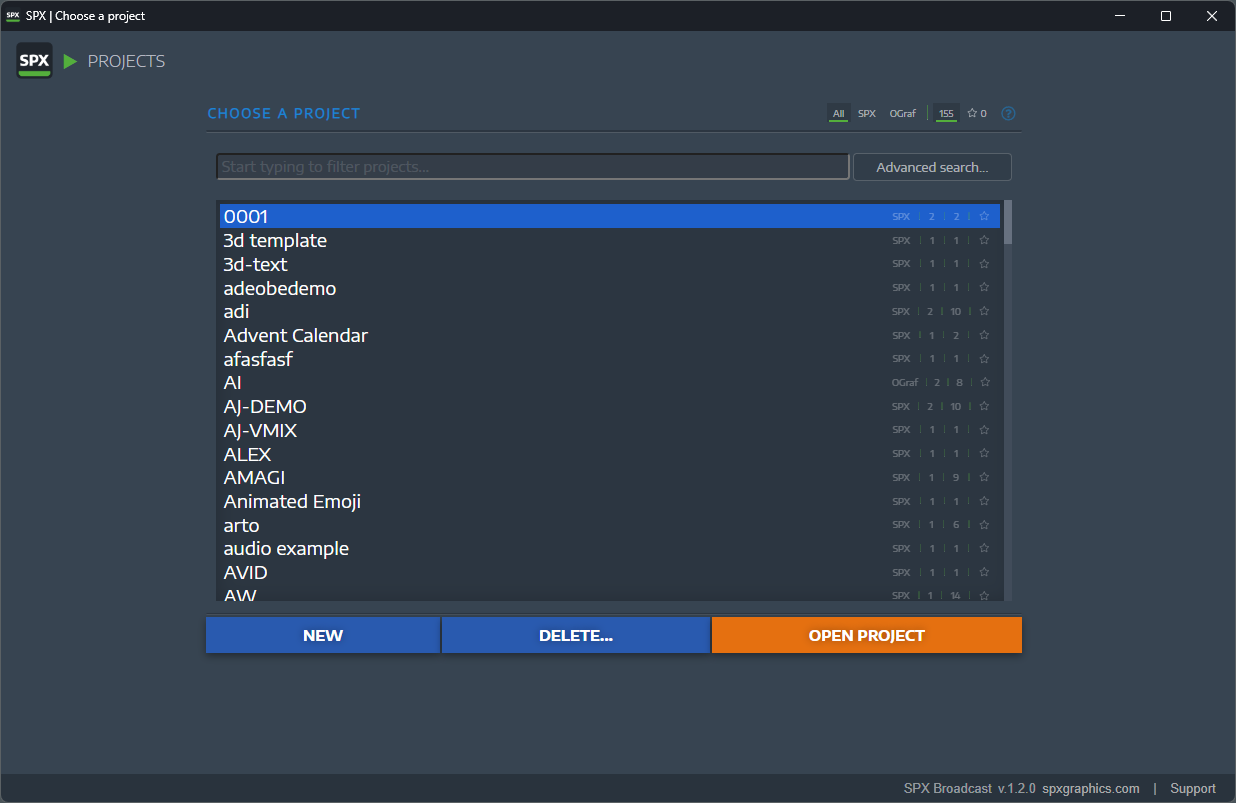
All content is managed as "projects" in SPX. Consider these as "brands" or "shows" or "productions" with their unique visual style. The Projects List is the main interface for browsing your projects, and it provides a quick overview and filtering options.
Rundowns of a chosen project
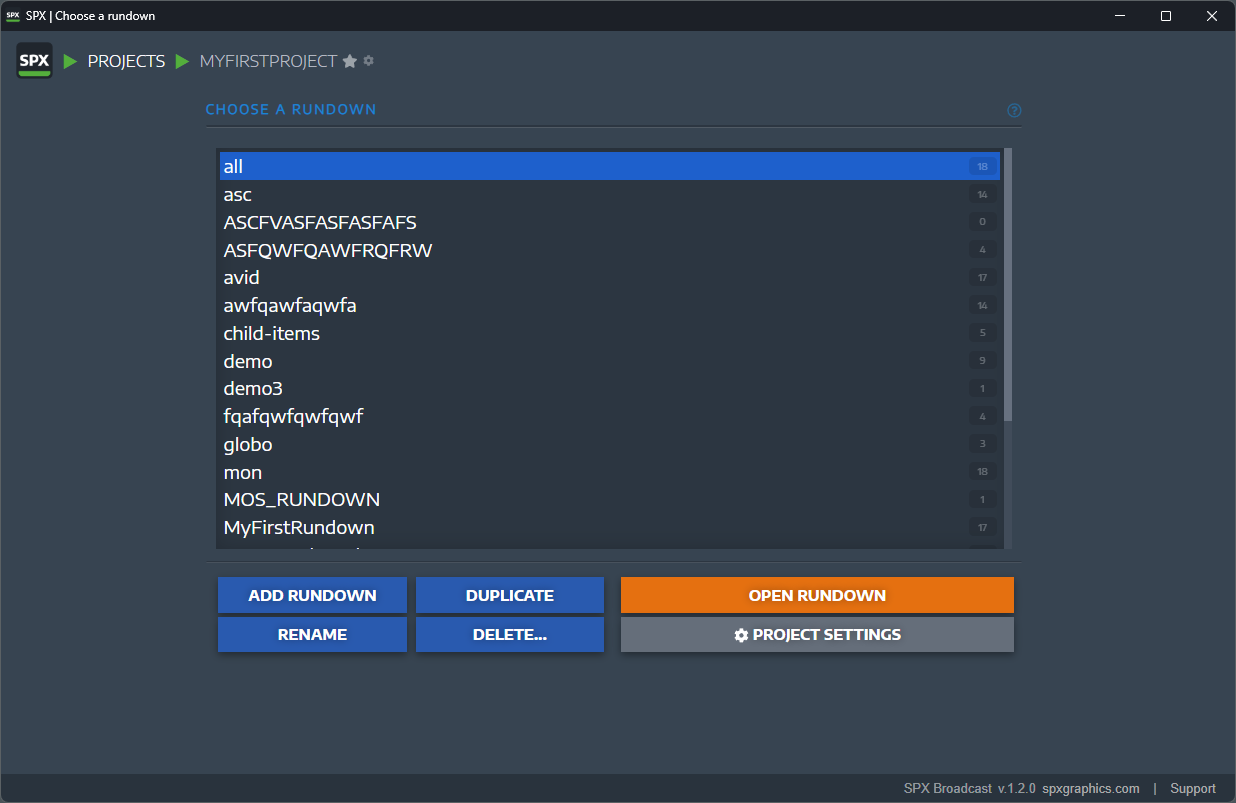
Each project in SPX can contain multiple "rundowns", typically a rundown is a single episode of a production. See the "breadcrumbs" at the top of the page to see which project and rundown you are currently viewing and it can be set as a favorite also for quick access.
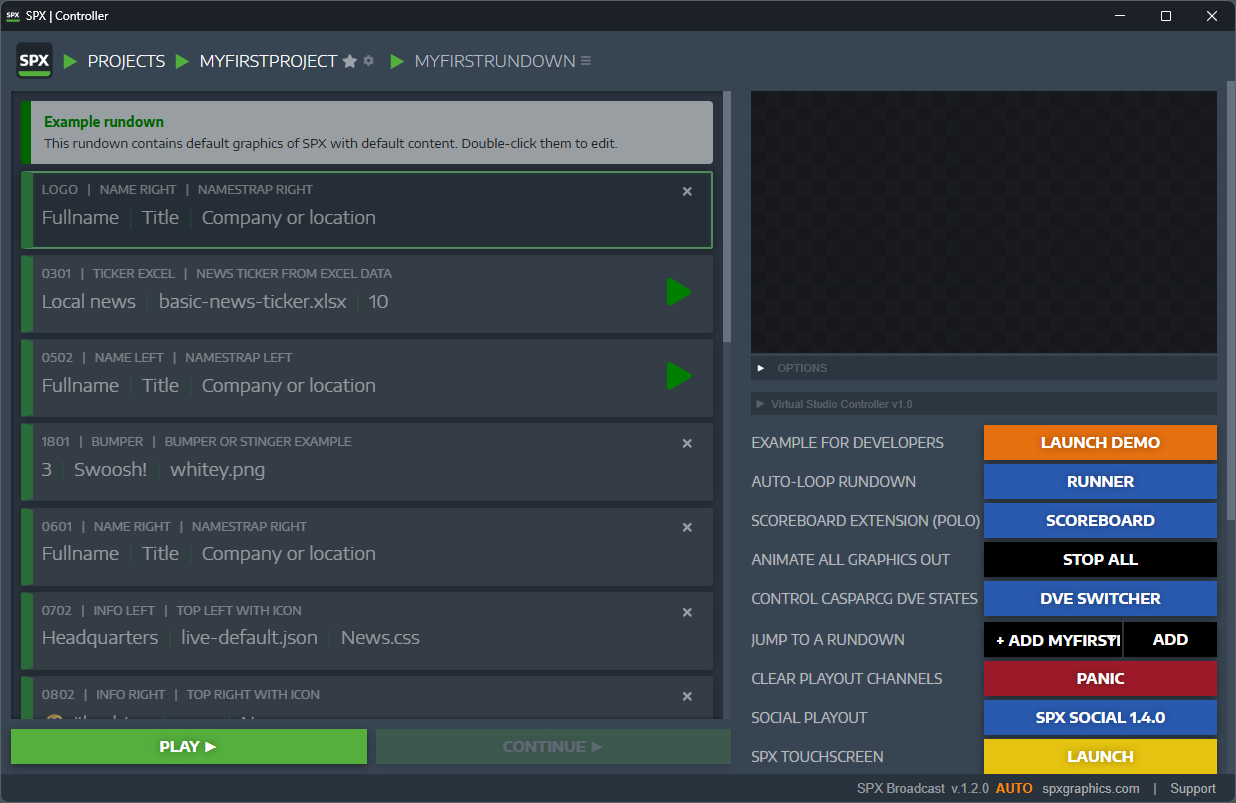
There is more to explore:
- Try SPX Docs for answers
- SPX Server configuration and config.json
- How to troubleshoot common issues
- SPX and security
- See our YouTube channel for more videos